Yoga for Geeks

Jun 13 2012
om keyboard

Computer users, deskbound workers and web addicts: stop, breathe and read!

If you are reading this sitting at a desk, then you are probably one of the many who spend way too long staring at a screen. Whether it is at work, home or even in bed, many of us spend long periods of time in what is most likely a questionable position! Unless you have invested in a specialised lumbar support chair, the chances are you are severely compromising some element of postural health.

In addition to this, most of us don’t especially enjoy office work. It stresses us out, but often we don’t even realise it because... we’re working! This, of course, has an effect on our bodies, causing us to tense up, breathe erratically, thus exacerbating postural problems.

Before getting on to the  yoga sequences however, a couple of points of caution about undertaking physical activity after periods of inactivity. Injury due to bad posture can occur more easily than you may think. It can also get in ‘under the radar’, due to the way it builds slowly over weeks and months, often without you realising until you try to do something a little out of your routine. In this way, bad posture can result in “injuries waiting to happen”. For this reason, gently easing into increased physical activity is always a good idea.

But no matter how much yoga or bodily awareness you may have, unless you are:
a) able to take a break every hour
b) able to maintain a healthy, steady posture (i.e. avoiding slouching in the lower back, keeping the shoulders, neck and face relaxed… etc. the list is long!)
c) able to keep some awareness in breath

… then you probably need to read on…

Suggested sequences

The key to healing and preventing problems is changing your habits, so repetition and persistence are vital. If you can spare 15/20 mins each day, then you will really start to notice a difference rapidly. Postural improvements and awareness will grow as steadily as your practice – the more time you can invest, the more benefits you will reap.

Under 5 mins

What: Wrist stretches

Where: At your desk

Why: Any type of wrist and shoulder release is useful after spending some time in front of a computer.

How:

  1. Bend the wrists and rotate the hands in circular movements
  2. Interlace fingers and turn the palms away from you. Slowly raise the arms, taking the movement up into the arms and shoulders.

What: Lateral stretch

Where: Standing or in a chair.

Why: This can feel really energizing! The torso does very little movement when working at the computer. This movement opens up the chest and side of the waist, as well as the intercostal muscles (between the ribs), which don’t get to move so much.

How:

  1. Reach the arms up to the sky.
  2. Keeping them energized, stretch out to one side and hold for 5-10 breaths.
  3. Repeat on the opposite side.

What: Forward bend

Where: Standing or in a chair - if standing, keep knees bent

How:

  1. Slowly and starting with the neck, fold forward one vertebra at a time. Allow the bend to work down your back until you reach a comfortable stopping point. Don’t worry if you can’t touch your toes. Focus on relaxing the head and neck and never force it. Simply let gravity do the work.
  2. Hold for 10/15 breaths.
  3. Come up slowly in a similar manner, one vertebra at a time.

What: Seated spinal twist.

Where: You can use the ledge of the table.

Why: Open the chest, shoulders and mid back while opening the lungs to breathe deeper (and thus bringing more oxygen into the entire bloodstream and brain!)

How: Holding on to the edge of the desk with both hands for stability, take an initial deep in-breath, then slowly and steadily twist first one direction while exhaling. Hold the twist for a few seconds, then slowly return back to centre. Try to make the inhale/exhale last the same amount of time or longer than the movement. Repeat in the opposite direction.

15mins

These sequences are intended for those with more knowledge of yoga. You will also need to find a clear space away from your desk.

Start with a few rounds of sun salutations (your choice), to loosen up the body.

What: Standing postures
Why: Think strength and stability
How:

  1. Triangle
  2. Extended triangle
  3. Tree pose
  4. Chair pose

What: Sitting postures

Why: Think stability and length. Open the hamstrings and hips, which chronically tighten up while sitting. Build strength in the abdominals, again these will often weaken whilst sitting (slouching syndrome).

How:

  1. Forward bend (don’t aim for the toes!)
  2. Janu sirsana A (foot to inner thigh)
  3. Navasana (boat pose)

For all the sitting postures, stay fairly upright and slowly lengthen with a straight spine. Use the breath and don’t aim to touch your toes. Use books/manuals/blocks under the buttocks or to support the knees in Janu A if they are very high up (much higher than the hips).

30 mins +

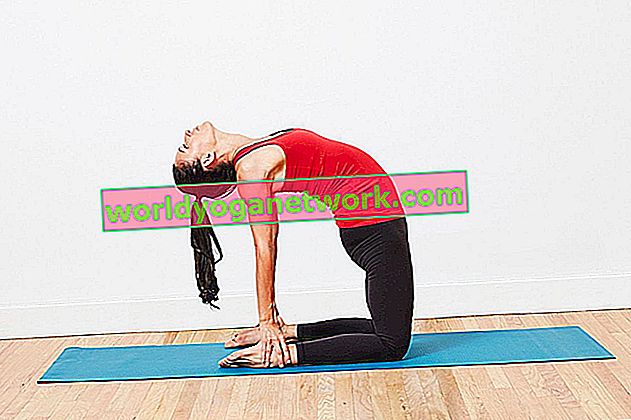
Add backbends to the above sequence, as well as an inversion: legs up the wall, shoulder-stand or a headstand!

Simple breathing tips

Notice how (long, shallow or medium) your breath is. Pause every now and then, and without changing anything, just bring some attention to the breath. Then think about directing more breath into the ribcage and chest, relaxing completely on the exhale. Take a few deep long breaths and settle into a new rhythm. This will also bring a sense of relaxation in the shoulders, ribs and belly.

When stressed, anxious or tired, try to pause and take five to ten deep breaths, again focusing more on the exhalation. This can feel calming and in moments of tension, we tend to clench the belly, diaphragm and breath, ultimately narrowing/limiting the supply of oxygen into all parts of the body – from the blood to the nervous system (the brain). Breathing may be the last thing you want to think of when agitated but it can work wonders.

If this feels a little simplistic, then include 5/10 mins of nerve balancing pranayama as often as you can (daily or a few times a week), such as alternate nostril breathing.

Other useful tips

  • Regularly change your posture. Rather than crossing the legs, take your shoes off and find other stable seated positions – such as crossing one leg into a figure of 4 or finding another comfortable way to stretch the hips and thighs out, such as bringing one foot to the inner thigh (think tree pose sitting). Try things out. If it isn’t comfortable, just change!
  • Mouse users: look for an ergonomically designed mouse to relieve any RSI syndrome or failing that, spend more time stretching out the wrists.
  • Set a reminder on your phone to give you a half hourly posture reminder – ‘sit up’, ‘just breathe’, ‘go for a power walk’, ‘get some fresh air’, ‘5 mins stretch’... You can be as creative as you want.
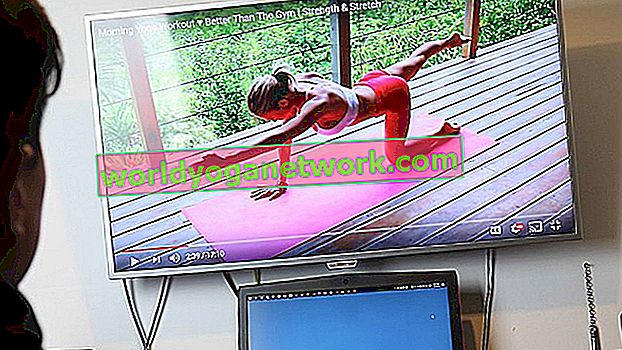
  • Make a habit of checking youtube for yoga podcasts and videos. Yoga Journal also has some great (free) podcasts for various ailments and needs. See: http://www.yogajournal.com/video/
  • Take a very good look at the chair you sit on! Slouching is virtually unavoidable in most chairs, and unless you are constantly engaging your abdominals and sitting upright (which again, might be equally strenuous on other parts of the body) it is quite likely the chair you use is not perfectly adapted your environment and your body. Failing the ability to ditch the chair and sit on the floor, try to choose when possible, a chair with a straight back and at a height suited to your computer screen: your eyes should be levelled with your screen so as to avoid extra tension in the head and neck.
  • Laptop users: it is almost impossible to get a correct setup with a laptop. Either the screen is too low, causing you to hunch forward or, if you raise the laptop up, your arms are too high. There are two easy (but not necessarily free) solutions.
    • Connect an external keyboard then raise the actual laptop to the correct level. There are specially designed stands for this, but a box or pile of heavy books will do just as well.
    • Try using an external monitor attached to your laptop, so your head isn't constantly pointing down. This can be more expensive, although many people have an old monitor they would be glad to get rid of. You can work with just the external monitor, or use both at the same time. It’s a bit strange at first, but once you get used to sliding windows between monitors you’ll find that organising different parts of your work between monitors really boosts workflow. Plus you get to feel like a real geek as a bonus!


The next instalment of this article will focus solely on chairs! To what extent are chairs detrimental to your health? Can yoga asana be one way out of our chairbound society?

Your rating: None Average: 5 (3 votes)

About inna costantini

Inna is a freelance writer and yoga teacher currently based in London. Since embarking on an intensive Ayurveda and Yoga teacher training in Goa, India, she has been sharing her passion for yoga, health and environmental issues both on and off the mat

About Oliver Fokerd

When not administering World Yoga Network, Oliver spends most of his time alternating between coding, photography and doing any kind of yoga that comes his way.

Although Oliver still finds it a bit odd talking about himself in the third person, he is starting to get used to it.

.

Leave a Comment

Please fill in all *required fields. Comments are moderated. Please do not use keywords or domains as names, no spamming, no link-dropping, no advertising

Post new comment

The content of this field is kept private and will not be shown publicly. If you have a Gravatar account associated with the e-mail address you provide, it will be used to display your avatar.
CAPTCHA
Type what you see (cAsE-sEnSiTiVe)

User login

WYN Newsletter

Keep up to date with our latest!

Top Contributors

Link To Us

You can use the following code to easily link to us. Just copy and paste it into your site or blog.

<a href=http://www.worldyoganetwork.com target="_blank">Yoga Directory & Yoga Articles</a>